
Veo 3.1
Long, filmic video takes
Nano Banana Pro
Lifelike still images
Nano Banana 2
Quick edits across many iterations


Script your shots, render the key frames, and Videoinu stitches them into one film.
Tell Videoinu what happens. Its agent writes the prompts, paints both fighters, keeps every face consistent from shot to shot and assembles the closing scene while you steer.
“Set up an epic showdown — Zhao Zilong against Lu Bu, wuxia realism.”
Writing a character brief for Zhao Zilong… now a rival brief for a demonic, battle-scarred Lu Bu…
“Paint both heroes.”
Rendering Zhao Zilong mid-lunge with his storm spear… rendering Lu Bu with a burning halberd…
“Now the big moment — weapons locked dead centre, lightning against fire.”
Composing the shot prompt and pinning both portraits as identity references…
“Roll it.”
Animating the clash — camera push, locked blades, widescreen colour grade…
Photoreal portrait, Zhao Zilong, famed general of the Three Kingdoms, lunging with a silver dragon spear wrapped in blue lightning. Silver scale armour, indigo robes, red cape lifting in the wind, piercing blue eyes. Smoky ruined battlefield, shafts of light.
Demonic Lu Bu, a giant warlord facing Zhao Zilong. Black-and-gold armour etched with glowing red runes, wild dark hair, Fangtian halberd trailing black fire mid-swing. Cracked earth, rivers of lava, crimson storm clouds. Dark fantasy.
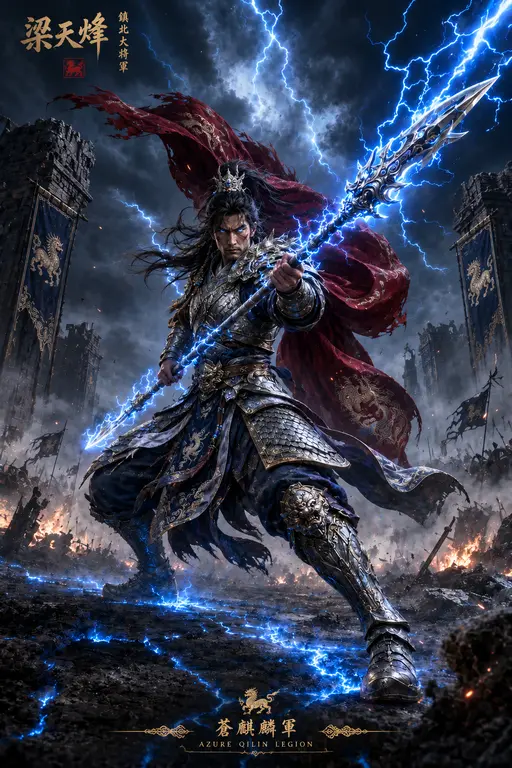
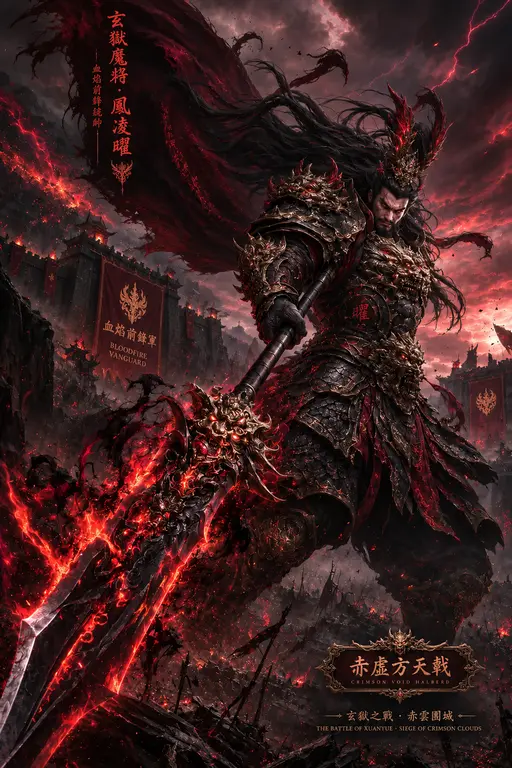
@image1 Zhao Zilong + @image2 Lu Bu. Wide wuxia frame, blades locked at centre, sparks colliding with flame, slow push-in, anamorphic flare.
Showcase
Every clip below began as a few typed lines in Videoinu, then grew shot by shot on the canvas.
Model lineup
Videoinu routes each shot to the model that suits it best, so your attention stays on the story.
Veo 3.1
Long, filmic video takes
Nano Banana Pro
Lifelike still images
Nano Banana 2
Quick edits across many iterations

Sora2 Pro
Story-driven cinematic clips
GPT Image 2
Images that follow detailed directions
GPT-5
Plans shots and reasoning inside Videoinu

Wan 2.7
Video tuned for cultural nuance
Wan 2.6
Lean, efficient clip synthesis

Seedance 2.0
Smooth, expressive character motion
Seedream 5.0
Ultra-detailed realistic stills

Vidu Q3 Pro
Painterly, art-directed video
Vidu Q3 Turbo
Rapid reference-driven clips

Hailuo 2.3
Immersive, dynamic scenes
MiniMax Music
Original AI soundtracks

Pixverse v6
Crisp, stylised creative video

Kling 3.0 Pro
High-fidelity motion and detail
Kling O3 Pro
Responsive real-time rendering
1M+
Creators worldwide
15K+
Community members
9
Model providers
30+
Models on Videoinu
Questions
Usually four to six shots. Videoinu drafts a prompt for each one, renders key frames, then animates them on whichever engine you choose. Cinematic models use more compute than quick draft models, so many creators rough out a whole sequence first and re-render only the strongest shots at full quality once the edit feels right.
Your scripts, storyboards and edits are your own work. Usage rights for generated footage follow the licence of each underlying model, so read those terms before delivering to a client. Videoinu labels which engine produced every clip, which makes that check quick when you are preparing a campaign, a music video or a branded short.
No need to switch. Videoinu covers the generation side: scripting shots, keeping characters consistent and producing clips. Export stills or MP4 files and drop them into the timeline you already know for sound design, titles and pacing. Plenty of teams run both side by side and move footage back and forth.
Most newcomers grasp the canvas in a single session. Type a short scene, let the agent propose prompts, approve the portraits and render the closing shot. Start small — one setting, two characters, a single beat of action — then build longer Videoinu sequences once the workflow feels natural.